by Scott | Jul 2, 2026 | Podcast
Podcast: Play in new window | Download (Duration: 48:18 — 33.2MB)
Subscribe: Spotify | Amazon Music | Pandora | iHeartRadio | Email | Youtube Music |
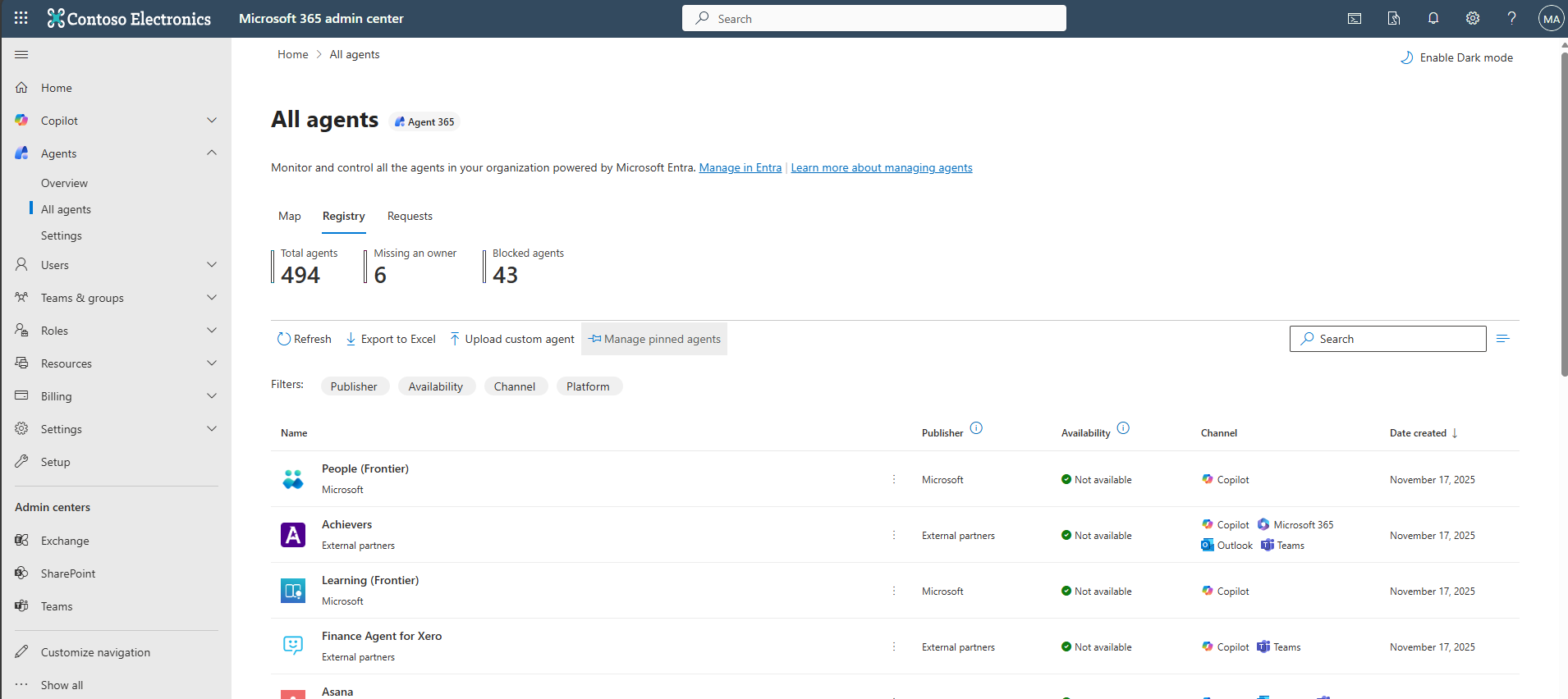
Welcome to Episode 431 of the Microsoft Cloud IT Pro Podcast. In this episode, Ben and Scott get into why agent governance is quickly becoming one of the most pressing challenges for Microsoft 365 administrators. As agentic workflows become more common across Copilot, Copilot Studio, and third-party platforms, organizations are dealing with a sprawl problem that looks familiar but hits differently. Agents bring their own identity, data access, permissions, lifecycle, and security concerns all at once, and unlike traditional apps, a single user can now have dozens of agents acting on their behalf or autonomously across Teams, SharePoint, Exchange, and beyond.
The episode walks through Microsoft Agent 365 as a starting point for building that control plane, including the agent registry, user and permission scoping, and the certification tab where publisher attestation gives some visibility into compliance claims though with notable gaps. Ben and Scott also touch on the Shadow AI preview in the Frontier program, the challenges of graph permission readability in the permissions view, and why the agent lifecycle problem, think what happens when the person who built a custom agent leaves the org, is something administrators need to start thinking about now before consumption billing turns an unmanaged agent into a surprise line item.
 Your support makes this show possible! Please consider becoming a premium member for access to live shows and more. Check out our membership options.
Show Notes
Sponsors
Your support makes this show possible! Please consider becoming a premium member for access to live shows and more. Check out our membership options.
Show Notes
Sponsors
 |
Nasuni is a leading unstructured data platform for enterprises where file data is mission-critical for both people and AI. Nasuni powers the operational file layer where work happens — helping organizations manage, protect, and activate data so teams can work smarter, reduce costs, and operate securely without limits. |
 |
TrustedTech is a leading Microsoft Cloud Solution Provider (CSP) specializing in Microsoft Cloud services, Microsoft perpetual licensing, and Microsoft Support Services for medium and enterprise-sized businesses. Their robust team of in-house, U.S.-based Microsoft architects and engineers are certified in all 6/6 Microsoft Solutions Partner Designations in the Microsoft Cloud Partner Program.
|
 |
ShareGate is your migration and governance solution for Microsoft 365. ShareGate helps your teams simplify tenant migrations, get Copilot-ready, and take control of Microsoft 365 governance. |
 |
Intelligink — Would you like to become the irreplaceable Microsoft 365 resource for your organization? Let us know! |

by Scott | Jun 18, 2026 | Podcast
Podcast: Play in new window | Download (Duration: 43:24 — 29.8MB)
Subscribe: Spotify | Amazon Music | Pandora | iHeartRadio | Email | Youtube Music |
Welcome to Episode 430 of the Microsoft Cloud IT Pro Podcast, where Scott and Ben dig into Microsoft Scout, the new desktop AI application announced at Microsoft Build. They walk through the real onboarding experience on both Mac and Windows, the licensing maze and admin controls needed to activate it, and how Scout's architecture ties together models, automations, and integrations like MCP, GitHub Copilot, and Work IQ. Along the way they cover the model selector and personality options (everything from professional to sarcastic teenager), the automations and heartbeats that run on schedules to update you on industry news, monitor workflows, and manage meetings, and the limitations and workarounds around skills, session management, and local file access. They also sort out where Scout overlaps with and differs from Microsoft 365 Copilot and GitHub Copilot, how to rationalize all three for ROI, and what token-based, consumption-based pricing means for enterprise AI strategy.
Whether you're a pilot user or just AI-curious, this episode cuts through the hype to show why Scout's local-first approach is a game-changer for MCP workflows, custom skills, and offline automation, and what it actually takes to adopt Scout as your desktop AI hub. Hosted by Scott and Ben, two industry veterans passionate about AI and automation, it delivers practical, actionable insights for technical leaders, developers, and productivity enthusiasts. Join us as we unravel Scout's potential to redefine your desktop AI experience, because knowing how to navigate its complexities now can save you time and money tomorrow.
Show Notes
Sponsors
|
TrustedTech is a leading Microsoft Cloud Solution Provider (CSP) specializing in Microsoft Cloud services, Microsoft perpetual licensing, and Microsoft Support Services for medium and enterprise-sized businesses. Their robust team of in-house, U.S.-based Microsoft architects and engineers are certified in all 6/6 Microsoft Solutions Partner Designations in the Microsoft Cloud Partner Program.
|
|
ShareGate is your migration and governance solution for Microsoft 365. ShareGate helps your teams simplify tenant migrations, get Copilot-ready, and take control of Microsoft 365 governance. |
|
Nasuni is a leading unstructured data platform for enterprises where file data is mission-critical for both people and AI. Nasuni powers the operational file layer where work happens — helping organizations manage, protect, and activate data so teams can work smarter, reduce costs, and operate securely without limits. |
|
Intelligink — Would you like to become the irreplaceable Microsoft 365 resource for your organization? Let us know! |

by Scott | Jun 4, 2026 | Podcast
Podcast: Play in new window | Download (Duration: 44:04 — 30.3MB)
Subscribe: Spotify | Amazon Music | Pandora | iHeartRadio | Email | Youtube Music |
Welcome to Episode 429 of the Microsoft Cloud IT Pro Podcast. In this episode, Scott and Ben dig into the concept of LLM wikis, specifically building personal knowledge management vaults using Obsidian, markdown, and AI tooling like Claude Code, GitHub Copilot CLI, and Copilot Cowork. The core idea comes from a gist by Andrej Karpathy and involves creating a structured folder of markdown clippings that an LLM can reason over to extract entities, concepts, and sources, building a searchable, graph-linked knowledge base over time. Scott walks through how he wired up Obsidian Web Clipper and an RSS Dashboard plugin to feed articles into his vault automatically, then had the LLM help build a Python script to automate the ingest workflow and cut down on token usage.
The conversation expands into how Copilot Cowork fits into this workflow as a scheduling harness, with practical examples of using it to pull email from an inbox daily, convert messages to markdown, and generate a prioritized to-do list. Ben shares how he applied the same approach to 428 episodes of podcast transcripts, and both hosts note that token costs can run high fast without some upfront thinking about optimization. Scott closes with a reminder that pulling data into plain markdown sidecars outside of IRM and sensitivity label protections means teams should stay mindful of organizational data policies.
Your support makes this show possible! Please consider becoming a premium member for access to live shows and more. Check out our membership options.
Show Notes
Sponsors
|
TrustedTech is a leading Microsoft Cloud Solution Provider (CSP) specializing in Microsoft Cloud services, Microsoft perpetual licensing, and Microsoft Support Services for medium and enterprise-sized businesses. Their robust team of in-house, U.S.-based Microsoft architects and engineers are certified in all 6/6 Microsoft Solutions Partner Designations in the Microsoft Cloud Partner Program.
|
|
ShareGate is your migration and governance solution for Microsoft 365. ShareGate helps your teams simplify tenant migrations, get Copilot-ready, and take control of Microsoft 365 governance. |
|
Nasuni is a leading unstructured data platform for enterprises where file data is mission-critical for both people and AI. Nasuni powers the operational file layer where work happens — helping organizations manage, protect, and activate data so teams can work smarter, reduce costs, and operate securely without limits. |
|
Intelligink — Would you like to become the irreplaceable Microsoft 365 resource for your organization? Let us know! |

by Scott | May 21, 2026 | Podcast
Podcast: Play in new window | Download (Duration: 41:05 — 28.2MB)
Subscribe: Spotify | Amazon Music | Pandora | iHeartRadio | Email | Youtube Music |
Welcome to Episode 428 of the Microsoft Cloud IT Pro Podcast. In this episode, Ben and Scott unlock the secrets to modernizing your IT management by ditching pesky on-prem GPOs and embracing the future with Intune. They discuss how savvy IT pros are migrating thousands of GPOs into clean, manageable cloud policies. Dive into real-world workflows: from exporting and analyzing legacy GPOs with AI tools, to recreating policies in Entra ID, and finally decommissioning AD. You’ll discover how to think through the migration, avoid common pitfalls like leftover legacy configs, and implement a phased migration that minimizes disruption.
Your support makes this show possible! Please consider becoming a premium member for access to live shows and more. Check out our membership options.
Show Notes
Sponsors
|
ShareGate is your migration and governance solution for Microsoft 365. ShareGate helps your teams simplify tenant migrations, get Copilot-ready, and take control of Microsoft 365 governance. |
|
Nasuni is a leading unstructured data platform for enterprises where file data is mission-critical for both people and AI. Nasuni powers the operational file layer where work happens — helping organizations manage, protect, and activate data so teams can work smarter, reduce costs, and operate securely without limits. |
|
TrustedTech is a leading Microsoft Cloud Solution Provider (CSP) specializing in Microsoft Cloud services, Microsoft perpetual licensing, and Microsoft Support Services for medium and enterprise-sized businesses. Their robust team of in-house, U.S.-based Microsoft architects and engineers are certified in all 6/6 Microsoft Solutions Partner Designations in the Microsoft Cloud Partner Program.
|
|
Intelligink — Would you like to become the irreplaceable Microsoft 365 resource for your organization? Let us know! |
by Scott | May 7, 2026 | Podcast
Podcast: Play in new window | Download (Duration: 32:14 — 22.2MB)
Subscribe: Spotify | Amazon Music | Pandora | iHeartRadio | Email | Youtube Music |
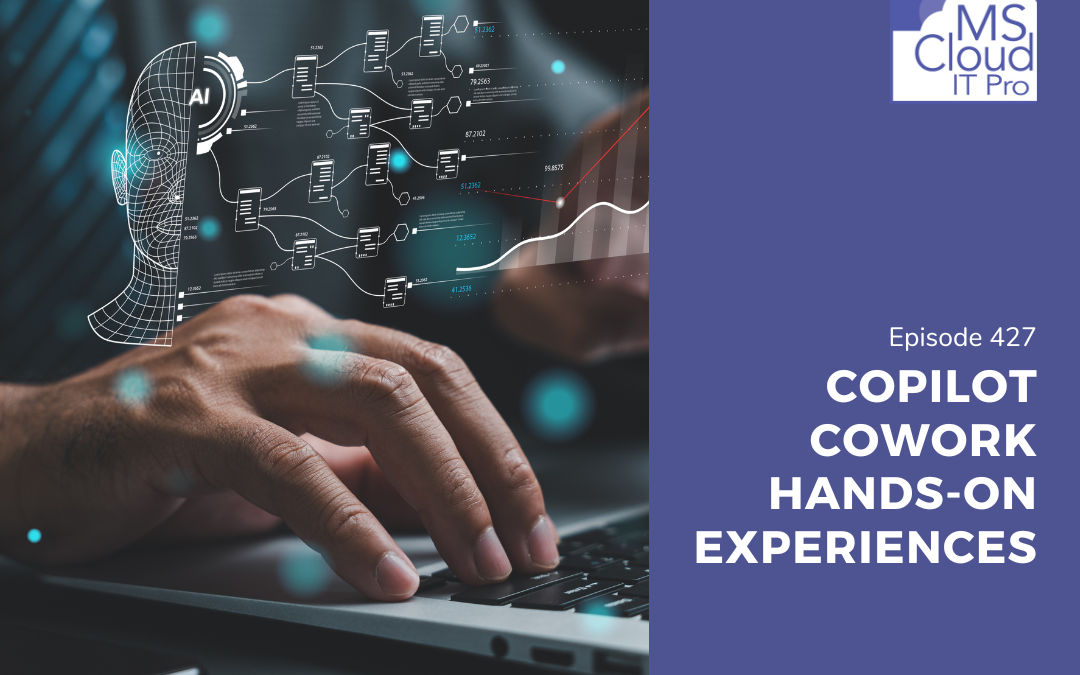
Welcome to Episode 427 of the Microsoft Cloud IT Pro Podcast. In this episode, Ben and Scott open with a quick look at YAKO (getyako.com), a browser extension built by community member Merrill that replaces the new tab page with a customizable dashboard of Microsoft 365 and cloud links. From there, the conversation turns into an extended follow-up on Copilot Cowork, covering some of their recent hands-on experience with custom skills, artifact management, session crashes tied to an Anthropic API outage, and the friction of working with IRM-protected documents in Copilot Cowork.
The bigger thread running through the episode is data security. Listen in to hear more about considerations for onboarding to Copilot Cowork in its early days.
Your support makes this show possible! Please consider becoming a premium member for access to live shows and more. Check out our membership options.
Show Notes
Sponsors
|
TrustedTech Team is a leading Microsoft Cloud Solution Provider (CSP) specializing in Microsoft Cloud services, Microsoft perpetual licensing, and Microsoft Support Services for medium and enterprise-sized businesses. Their robust team of in-house, U.S.-based Microsoft architects and engineers are certified in all 6/6 Microsoft Solutions Partner Designations in the Microsoft Cloud Partner Program.
|
|
ShareGate is your migration and governance solution for Microsoft 365. ShareGate helps your teams simplify tenant migrations, get Copilot-ready, and take control of Microsoft 365 governance. |
|
Nasuni is a leading unstructured data platform for enterprises where file data is mission-critical for both people and AI. Nasuni powers the operational file layer where work happens — helping organizations manage, protect, and activate data so teams can work smarter, reduce costs, and operate securely without limits. |
|
Intelligink — Would you like to become the irreplaceable Microsoft 365 resource for your organization? Let us know! |